The Network Checklist for an Office Move
Office moves go sideways in predictable ways, and the network is almost always one of them. Everybody focuses on the furniture and the movers. Then day one arrives, nobody can get online, the phones do not ring, and the whole team is sitting in a new space they cannot actually work in.
The fix is to treat the network as its own project, with its own timeline, not something you handle the weekend you move in. Here is the checklist we walk customers through. If you want the printable version to carry through your new space, we put it all on one page: get the free Office Move Network Checklist.
Start with the circuit, and start early
The single biggest cause of a bad move is the internet circuit. New service from a carrier can take 30 to 90 days to install, especially fiber, and that clock does not start until you order. The day you sign the lease is the day to order internet. Everything else can be fast. The circuit cannot.
Walk the new space before you commit to a layout
- Find where the internet enters the building and where the network closet will live.
- Confirm that closet has power and cooling. A rack of equipment in a hot, unventilated room fails.
- Map where the desks, printers, access points, and conference rooms go, so cabling gets pulled to the right spots the first time.
Get the cabling done before you move in, not during
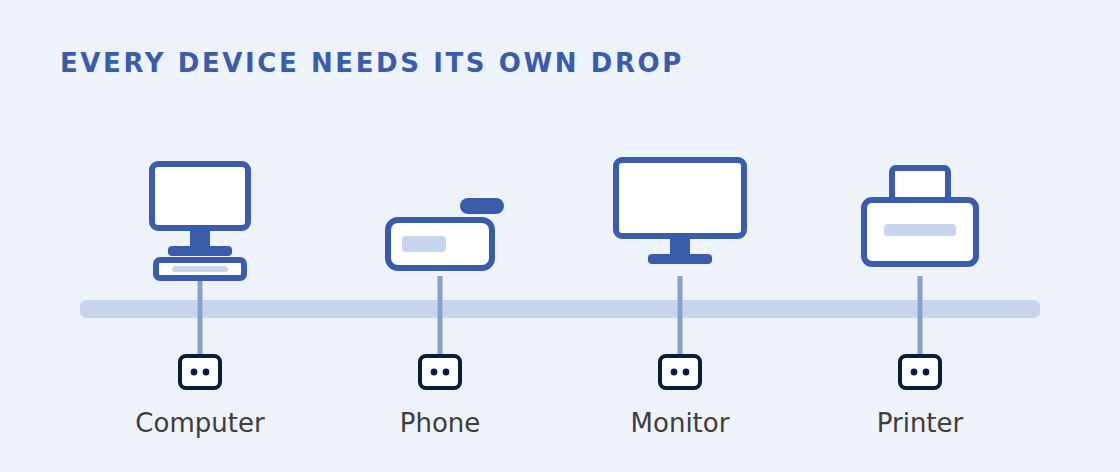
Pulling cable into an empty space is fast and cheap. Pulling it around installed furniture and working people is slow, expensive, and disruptive. This is front-end work, full stop.
Then run down the rest
- Internet circuit ordered, with an install date confirmed in writing.
- A backup internet path if your business cannot afford downtime, even a wireless failover, so one circuit problem does not shut you down.
- Network closet ready: power, cooling, a rack, and the patch panel terminated and labeled.
- Cabling pulled, tested, and labeled to every desk and device location.
- Switches, firewall, and access points configured and ready to drop in.
- Phone system moved or ported, with numbers confirmed ahead of time, because porting a number is not instant.
- A real cutover plan: what turns on when, and who to call if something is down.

The piece people skip is the cutover itself. Decide in advance whether you run both locations in parallel for a few days or do a hard switch over a weekend. Either works, but only if it is planned. A hard switch with no plan is how you end up with no internet on the first business day.
None of this is complicated. It is just unforgiving on timing. The network is the one part of a move where ordering late cannot be fixed with money or effort. You either started the clock in time or you didn’t.
Got a move coming up?
The best time to scope the network is the day the lease is signed. Get it on the timeline early and the move-in is boring, which is exactly what you want a move-in to be.
We put every question above on a one-page checklist you can print and walk your new space with. Grab the free Office Move Network Checklist here, or email solutions@justinhallconsulting.com and we will help you scope it.